
Turn Your Written Content into High-Quality Videos. Instantly.
The AI video platform for publishers and creators who need to scale. Transform blog posts, news articles, and product pages into narrated, branded videos in minutes.
Create professional videos for under $1 each.
Traditional Video Production is Broken
You have the content. You need the video. But the old way doesn't work.
Too Expensive
Hiring editors costs $100+ per video. Budgets drain fast.
Too Slow
Manual editing takes hours you don't have. Speed is critical.
Won't Scale
You have thousands of articles but only a handful of videos.
Flickify changes everything.
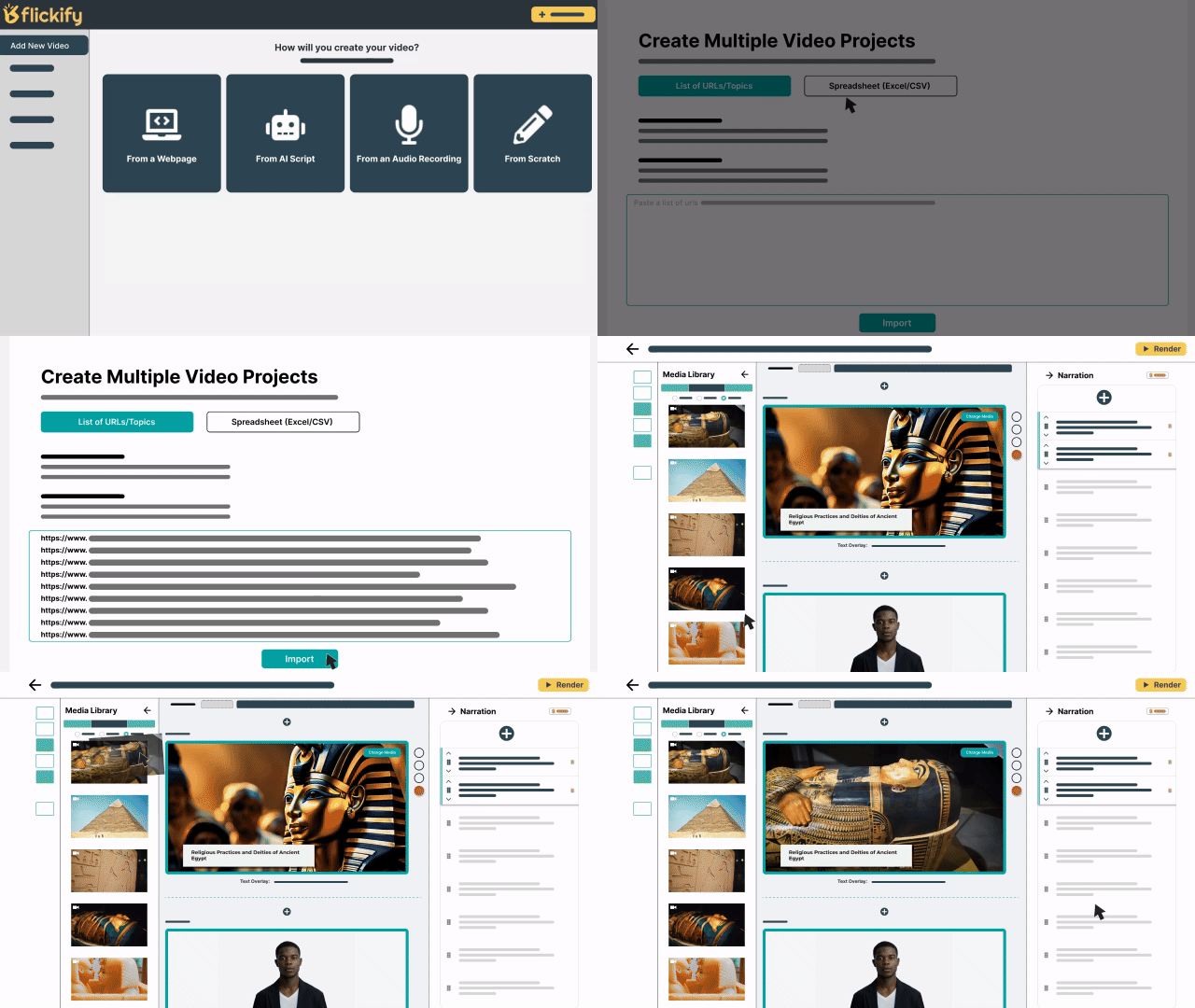
We combine intelligent AI automation with a slide-based editor, allowing you to turn a URL into a ready-to-publish video instantly. Whether you need one video or one thousand, Flickify handles the heavy lifting.
The World's Best AI Video Models.
All in One Place.
Why subscribe to multiple tools? Flickify gives you access to a curated gallery of the most advanced AI video generation models for cinematic B-roll and clips.
- Veo by Google for realistic text-to-video
- Sora by OpenAI for high-fidelity motion
- Kling, LTX & more for artistic styling




How It Works
Choose Mode
Create One for detail, or Generate Many for scale.
Input Content
Paste a URL, script, or prompt. We extract the text.
Customize
Select voice, language, and brand style.
Automatch
AI finds relevant stock footage and images instantly.
Publish
Render and upload to YouTube or Humix.
Everything You Need to Scale
Script & Creation
Turn any input into a script. Paste a URL to grab article text, use a simple prompt, or paste your own draft.
Media & Design
Access millions of stock assets, generate AI images, or use Automatch to visualize your narrative.
Voice & Characters
29+ languages. Create custom characters or clone your brand's voice for consistency.
Scale & Automation
Manufacture videos. Use Bulk Creation for lists, or Autopilot to run in the background.
Put Video on Autopilot
Stop manually selecting content. Flickify integrates with Google Analytics to automatically convert your top-performing posts into videos and publish them while you sleep.
Learn About AutopilotWhy Thousands of Content Publishers Trust Flickify
Speed at Scale
Convert hundreds of articles to video in hours, not months. Our automation handles the heavy lifting.
Proven Results
Publishers see increased time-on-page, higher ad revenue, and better SEO rankings with video content.
Built for Publishers
Designed specifically for content teams who need to scale video without hiring editors or learning complex software.
Ready to Scale Your Video Strategy?
Stop paying $100 per video. Start creating for pennies.
Get Started Free